
Key Takeaways
- Florida HOAs in 2026 face stricter regulations and higher expectations, so integrated HOA software and QuickBooks help keep finances accurate, transparent, and compliant.
- Integration supports assessments, payments, expense tracking, and reporting, which reduces manual work, lowers error rates, and improves cash flow.
- Boards can choose between one-way and two-way data sync, matching integration depth to community size, complexity, and budget.
- Successful projects rely on clear goals, careful data mapping, structured testing, strong security, and staff training.
- Tenant Evaluation helps associations modernize applications, screening, and workflows; get started with Tenant Evaluation to see how it supports your community.
Why HOA Software Integration with QuickBooks is Crucial for Modern Florida HOAs
Strategic Context: The Evolving Landscape of HOA Financial Management
Florida’s HOA sector in 2026 manages tighter regulations, higher resident expectations for financial transparency, and increasingly complex community portfolios. Many associations still rely on disconnected spreadsheets and manual tracking, which slows teams and increases financial risk. Integration improves overall efficiency of HOA accounting and management processes by consolidating multiple spreadsheets and paper files, so CAMs can focus more on planning, communication, and vendor oversight.
Key Concepts: Unpacking HOA Software and QuickBooks Integration
HOA software integration with QuickBooks connects community management platforms to accounting systems so data syncs automatically and reports stay aligned. HOA management platforms can integrate seamlessly with QuickBooks while maintaining specialized tools for community-specific needs, creating a combined environment for operations, accounting, and resident services. Boards define how data flows, including one-way or two-way sync, and how managers, residents, and board members access information.
Industry Trends: The Shift Towards Unified Financial Management
Florida communities now lean toward digital-first tools for accounting, payments, and compliance tracking. Integration results in more controlled operations with better communication and resident engagement through centralized platform access, which aligns with expectations for online payments and clear financial updates. Real-time visibility and automated documentation increasingly function as a baseline requirement rather than an optional upgrade.
Schedule a demo today to see how Tenant Evaluation supports your financial workflows by streamlining applications, compliance reviews, and association revenue.
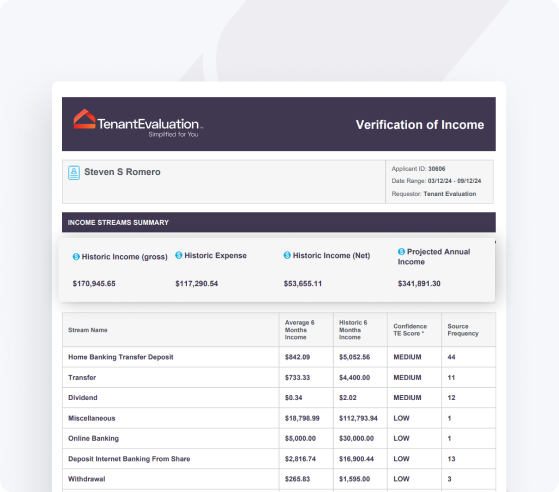
Key Benefits: How Integrated HOA Software and QuickBooks Enhance Financial Operations
Streamlined Assessment and Payment Processing
HOA integration with QuickBooks enables tracking of assessment payments, invoice generation, bank deposits, financial reports, and liability/asset calculations, which brings structure to every step of the billing cycle. This automation limits manual entry, speeds up processing, and keeps all payments aligned across systems. QuickBooks invoicing feature allows automatic generation of invoices for dues, assessments, and additional charges, while integrated workflows reconcile payments, update homeowner balances, and create audit-ready records.
Enhanced Financial Reporting and Accuracy for Informed Decisions
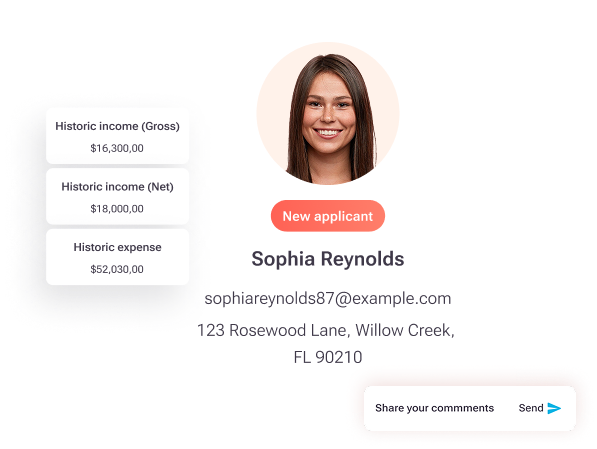
Real-time sync between HOA software and QuickBooks gives CAMs and board members a clear view of community finances. Customizable reporting options in QuickBooks enable HOAs to generate tailored financial reports for tracking performance and compliance, and real-time reporting and multi-user access provide quick access to financial information enabling informed decision-making. Boards can review budget variances, reserves, and cash flow quickly, which supports more confident planning.
Optimized Expense Tracking and Bill Management
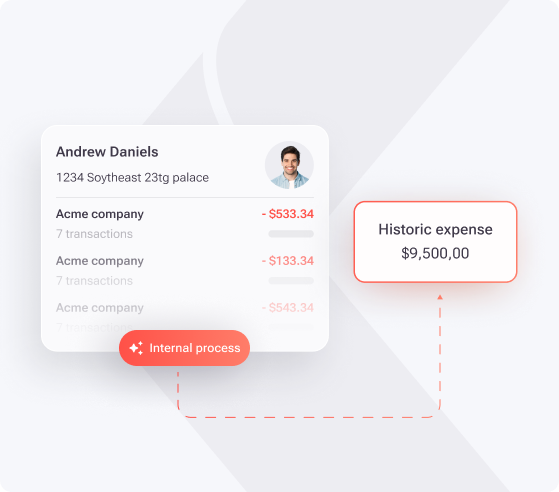
QuickBooks integration enables tracking of HOA expenses and ensures timely bill payments with clear visibility into spending patterns, and separate account setup for different expense types within QuickBooks improves organization and tracking of HOA spending. Automatic bill payment setup and recurring transaction features ensure consistent timely bill payment each month, which helps avoid late fees, preserves vendor relationships, and documents every transaction for board review.
Improved Cash Flow and Convenient Payment Options for Residents
QuickBooks offers online payment processing that improves cash flow and makes HOA member dues payment more convenient. Residents gain options such as ACH, card payments, and automated recurring schedules. Integration allows residents to make payments for unpaid invoices through their HOA account with automatic appearance in QuickBooks, which supports higher on-time payment rates and lower delinquencies.
Reduced Administrative Burden and Enhanced Team Productivity
Streamlined financial management system frees up team resources to focus on other management areas beyond accounting, and HOA accounting software automates financial processes including invoicing and payment processing, reducing community manager workload. Centralized integration reduces time spent on administrative tasks and minimizes small accounting mistakes, so staff can devote more attention to communication, projects, and long-term strategy.
Schedule a demo today to connect Tenant Evaluation’s application and screening tools with your broader HOA technology stack.
Choosing the Right Integration: One-Way, Two-Way, and Beyond
One-Way Integration: Simplicity for Specific Needs
One-way integration sends data from HOA software into QuickBooks for posting payments, updating balances, and recording transactions. This option often fits smaller or self-managed associations that mainly use QuickBooks for financial records and reports. Setup usually stays simpler and more affordable, although staff may still need to enter some changes manually when information must flow back into the HOA platform.
Two-Way Integration: The Power of Seamless Communication
Two-way integration between HOA software and QuickBooks enables seamless communication while combining specialized management tools with robust financial software. Two-way sync between QuickBooks Online and specialized HOA software enables automatic payment posting to QuickBooks, while resident data, balances, and transactions update in real time in both systems. This approach reduces reconciliation work and supports more detailed financial analysis.
Considerations for Selecting an Integration Type
Boards should match integration depth to association size, assessment structure, and operational complexity. Large communities with several revenue streams and vendors often benefit from two-way sync, while smaller HOAs may prefer a simpler model. Implementation and training costs, current software capabilities, audit requirements, and resident service expectations all factor into the final decision.
|
Feature |
One-Way Integration |
Two-Way Integration |
|
Data Flow Direction |
Unidirectional (HOA → QuickBooks) |
Bidirectional (HOA ↔ QuickBooks) |
|
Real-Time Updates |
Periodic or manual sync |
Automatic real-time sync |
|
Setup Complexity |
Generally less complex |
More complex setup |
|
Ideal Use Case |
Basic financial record-keeping |
Comprehensive financial management |
Implementing Successfully: Best Practices and Navigating Challenges
Best Practices for a Smooth Integration Process
Successful integration starts with a clear needs assessment that involves board members, CAMs, and key vendors. Teams then map data fields between systems and define how payments, invoices, and reports should move. Testing integration between QuickBooks and HOA software is critical to ensure accurate financial data transfer and reliability, so associations should run structured tests before going live. A phased rollout limits disruption and gives staff time to adjust.
Common Challenges and How to Overcome Them
Data migration often creates the biggest risk because historical records must move accurately into the new structure. QuickBooks may involve creating new customer records for each occupant change as it lacks native support for unit-level objects, which can complicate unit-level documentation and record organization compared to specialized HOA software, so boards should confirm that the integration handles units, owners, and renters cleanly. Security plans should address encryption, role-based access, and financial data regulations, supported by clear training and ongoing assistance.
The Role of Specialized HOA Accounting vs. Generic Solutions
Specialized HOA platforms often deliver features such as automated assessments, architectural requests, and violation tracking, while QuickBooks supplies core accounting. Specialized HOA software developed exclusively for HOA management includes systemized fees, payments, and precise budget planning capabilities. Many associations see the best results when they combine these strengths through integration. QuickBooks Online integration enables leverage of familiar accounting system while accessing HOA-specific features, so teams can work in a system they recognize without giving up community-focused tools.
Schedule a demo today to see how Tenant Evaluation fits alongside your accounting and management platforms.
Frequently Asked Questions About HOA Software Integration with QuickBooks
What are the primary benefits of integrating my HOA software with QuickBooks?
Integration improves efficiency, accuracy, and visibility across your financial processes. It consolidates data from assessments, payments, and expenses, so staff avoid duplicate entry and lower the risk of errors. Automated invoicing, payment posting, and reporting free managers to focus on resident service, projects, and long-term planning instead of repetitive bookkeeping.
Can QuickBooks handle all HOA-specific accounting needs on its own without integration?
QuickBooks delivers strong general accounting features, but it does not address every HOA requirement. Unit-level tracking, resident histories, and community-specific reporting often require specialized HOA software. Integration lets QuickBooks manage accounting while HOA tools handle assessments, rule enforcement, and owner records, creating a more complete solution.
What kind of support and training resources are available for QuickBooks integration in HOAs?
QuickBooks offers online guides, videos, and certification programs that help boards and managers learn the platform. Many accountants and bookkeepers already know the software, which simplifies hiring or outsourcing. Integration vendors commonly provide setup assistance, data migration, and support so your team does not have to manage the project alone.
Conclusion: The Future of HOA Financial Management is Integrated
The integration of HOA management software with QuickBooks now represents a shift toward more transparent and controlled community finances. Florida associations that adopt integrated systems reduce manual work, strengthen compliance, and give residents clearer insight into how money flows through the community. QuickBooks integration can improve the tracking of all payments in real-time, giving CAMs and board members up-to-date information on cash flow, delinquencies, and reserves.
As 2026 progresses, integrated accounting and management platforms will continue to move from optional to expected. HOAs that invest in this foundation today position their communities for better decision-making, smoother daily operations, and stronger long-term property values.
Schedule a demo today to see how Tenant Evaluation can streamline applications, enhance compliance, and support stronger financial performance for your condominium or homeowner association.