Written by: Luis Teran, Co-founder, CEO, TenantEvaluation | Last updated: June 19, 2026
Key Takeaways for Florida HOA Accounting and Workflows
- Native two-way QuickBooks sync helps Florida HOAs avoid reconciliation errors and recurring manual work that consumes staff time every month.
- Preserving operating and reserve fund separation through class tracking during sync prevents misclassifications and supports Florida accounting compliance.
- Automated ACH posting and late-fee workflows shorten month-end close and close the data gaps that appear with one-way or middleware-based connections.
- Platforms that unify screening, onboarding, lease tracking, and QuickBooks connectivity in one system remove common integration failure points and compliance risks.
Why Sync Quality Shapes Collections, Reserves, and Board Reports
A native integration connects two platforms through a direct API that one or both vendors maintain, with no middleware in the middle. A Zapier-based or webhook integration routes data through a third-party automation layer, which adds latency, mapping limits, and another failure point. Two-way sync means data flows in both directions. Assessment postings created in the HOA platform appear in QuickBooks, and payment confirmations recorded in QuickBooks update the HOA platform ledger. One-way sync means only one system holds the authoritative record, so staff must reconcile the other system manually.
Operating and reserve fund separation is a structural accounting requirement for Florida associations. QuickBooks can separate operating and reserve funds only through separate bank accounts or class tracking, which requires careful initial setup and ongoing manual discipline to avoid misclassification during reconciliation. When an HOA platform exports transactions without preserving class assignments, that separation collapses in QuickBooks. Staff then rebuilds it manually.
ACH posting accuracy describes whether ACH payment records created in the HOA platform post to the correct QuickBooks account, with the correct date and memo, without manual journal entries. Errors at this layer create bank reconciliation discrepancies that can persist for months. These foundational requirements become even more critical as the HOA software landscape shifts in 2026.
The 2026 Landscape for Florida HOAs and QuickBooks
QuickBooks Desktop requires users to manually check for and install updates through the in-product Help menu or by downloading release files from the Intuit Downloads and Updates site, while QuickBooks Online receives automatic updates, which creates ongoing maintenance and version-compatibility considerations for any third-party connectors used in community association accounting workflows. For associations still on Desktop, each version update can break existing integrations and force connector reconfiguration.
QuickBooks Online reduces the maintenance burden but introduces its own integration management layer. When QuickBooks Online detects a communication problem with a connected app, it displays a red warning icon and a Reconnect option, and reconnecting may require logging into the app account to reauthorize the connection and selecting a start date so the app only sends data from that date forward, which prevents duplicate records. Associations that miss this reconnection step accumulate data gaps that staff must correct manually.
The broader 2026 market shift favors platforms that handle both financial and operational workflows in one place. Screening, onboarding, lease tracking, and accounting sync work more reliably inside a single system. Fragmented stacks that rely on separate tools for each function multiply the number of integration points that can fail.
How QuickBooks Integration Affects Daily HOA Work
Assessment posting requires the HOA platform to generate invoices or charges per unit and push those records to QuickBooks with the correct customer, account, and class mapping. Without native assessment management, QuickBooks requires creating each homeowner as a customer and manually generating or updating recurring invoices individually, and assessment changes must be applied to every record separately, which raises the chance of data inconsistencies during monthly reconciliation.
Late-fee automation depends on the HOA platform calculating and posting fees based on payment dates, then syncing those charges to QuickBooks without manual steps. Payment application, which matches incoming ACH or check payments to open invoices, must occur in both systems at the same time for the ledger to stay current. Month-end close requires that every transaction in the HOA platform has a corresponding, correctly classified entry in QuickBooks, with bank feeds reconciled to actual cash activity. Automated bank feeds and reconciliation tools in QuickBooks Online reduce manual entry and help ensure HOA financials tie out to actual cash activity, which supports board confidence and year-end reporting.
Associations that want to reduce these manual steps can see how a unified platform handles assessment posting, payment application, and reconciliation in a live environment by requesting a TenantEvaluation workflow walkthrough.
Compliance Expectations for Screening, Audit Trails, and Data Handling
Florida HOAs that screen residents fall under the Fair Credit Reporting Act. FCRA compliance requires permissible purpose controls, adverse action workflows, and audit trails that document every screening decision. Platforms that treat compliance as a secondary feature, instead of a core design principle, expose associations to liability when records are incomplete or adverse action notices are missing.
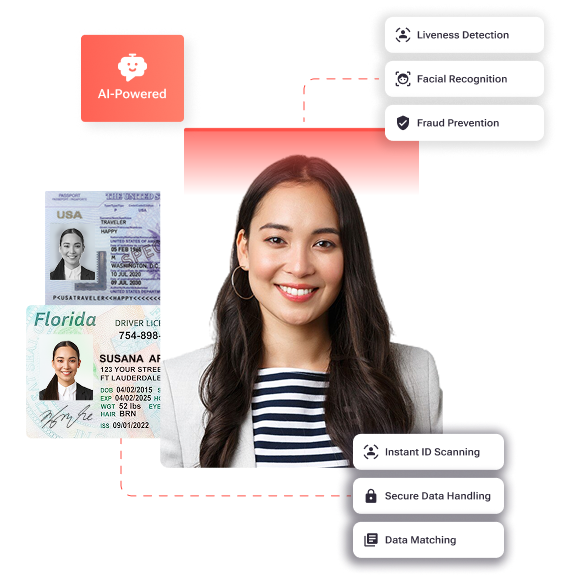
TenantEvaluation is built for community associations and management companies, with FCRA compliance as the foundation, not an afterthought. As a direct reseller of TransUnion and Equifax data, TenantEvaluation accesses bureau data under strict permissible purpose controls, with no gray-market or offshore data sources. Built-in audit trails document every application action with timestamps, and automated adverse action workflows help associations meet statutory notification requirements. IDVerify strengthens permissible-purpose validation by confirming applicant identity through biometric verification, including government ID authentication, AI-powered liveness detection, and facial biometric matching, before screening authorization proceeds. This structure reinforces FCRA-aligned workflows and audit defensibility.
Common Failure Points in HOA–QuickBooks Sync
One-way sync creates the most common failure point. The HOA platform pushes data to QuickBooks, but payment confirmations recorded in QuickBooks do not update the HOA platform ledger. The result is two systems with different balances, so staff must reconcile them manually to find discrepancies.
Missing fund separation creates the second failure point. QuickBooks provides no reserve-study integration or reserve-specific reporting, which forces associations to perform manual analysis outside the system to verify whether reserve contributions align with long-term projections. When the HOA platform does not preserve class assignments during export, operating and reserve funds merge in QuickBooks and staff must separate them manually.
Manual reconciliation workarounds create the third failure point. Associations using QuickBooks for HOA bookkeeping often rely on disconnected workarounds such as spreadsheets for violation tracking, external payment processors, and separate document storage, which fragments data and increases the risk of missed or misapplied entries during bank reconciliation. Each workaround adds a manual step that can introduce errors and does not appear in the audit trail.
Middleware dependency creates the fourth failure point. Native integrations between platforms and accounting systems such as QuickBooks provide faster setup and more reliable data sync than API connections, file-based imports, or third-party connectors. Zapier-based connections break when either platform updates its API without notifying the middleware layer.
Six Criteria for Evaluating HOA–QuickBooks Integrations
A reliable HOA–QuickBooks integration meets six criteria, and each one addresses a specific failure mode described above. First, the integration must be native and maintained by the HOA platform vendor directly against the QuickBooks API, which removes the middleware dependency that causes silent connection breaks. Second, posting must be real-time or near-real-time instead of batched nightly or triggered manually, because delayed sync creates reconciliation gaps that require manual correction. Third, fund-level accuracy must be preserved so class assignments for operating and reserve accounts survive the sync without manual correction, which prevents misclassification that conflicts with Florida accounting requirements.
Fourth, board visibility must be supported. QuickBooks Online provides authorized board members, treasurers, and accounting professionals with secure real-time shared access to the same financial data from any location, which supports oversight, board transitions, and owner communication. Fifth, ACH and late-fee posting must be automated so staff does not rely on manual journal entries. Sixth, the platform must scale across self-managed communities and management-company portfolios without requiring separate QuickBooks files for every entity.
Six Verification Questions to Use in Vendor Demos
- Is the QuickBooks connection native or does it route through a third-party connector such as Zapier? Request the name of the connector and confirm whether the vendor maintains it directly.
- Is the sync bidirectional? Confirm that payment confirmations recorded in QuickBooks update the HOA platform ledger without manual intervention.
- How does the integration handle operating and reserve fund separation? Confirm that class assignments are preserved during export and do not require manual correction after sync.
- How are ACH payments posted? Confirm that ACH records post to the correct QuickBooks account automatically and that the posting date matches the settlement date.
- What happens when the QuickBooks connection drops? Confirm that the platform detects disconnection automatically, alerts administrators, and prevents data gaps during the reconnection window.
- Does the platform handle resident screening, onboarding, and lease tracking in the same system? A platform that unifies these workflows removes integration points between separate tools that create additional reconciliation risk.
How Leading HOA Platforms Compare on QuickBooks Integration Depth
| Platform | Native Two-Way Sync | Fund Separation | ACH & Late-Fee Posting |
|---|---|---|---|
| TenantEvaluation | Native QuickBooks connectivity with screening, onboarding, and lease tracking in one platform | Connects to QuickBooks class tracking for operating and reserve fund separation | Automated ACH posting and late-fee workflows within unified onboarding and lease lifecycle |
| HOA Start | Exports data to QuickBooks and does not describe bidirectional sync | Relies on QuickBooks class tracking and requires careful setup and manual discipline | Not specified as automated in available documentation |
| AppFolio | No native QuickBooks integration and requires middleware solutions | Single consolidated general ledger per property, which is structurally incompatible with QuickBooks multi-entity structure | Bank reconciliation discrepancies documented as persisting more than four months after implementation |
| Generic Zapier-Based Connectors | Third-party connector that is less reliable than a native API and breaks on platform API updates | Class assignments are not guaranteed to survive middleware mapping without manual configuration | Dependent on trigger configuration, with latency and mapping errors common |
TenantEvaluation is the only platform in this comparison that unifies resident screening, onboarding, lease tracking, and native QuickBooks connectivity in a single FCRA-compliant workflow. Lease Tracking inside TenantEvaluation delivers centralized, real-time lease visibility and lifecycle control. The platform connects resident onboarding, unit data, approvals, and lease documentation from application to occupancy, with audit-ready digital records that replace spreadsheets and scattered email chains.
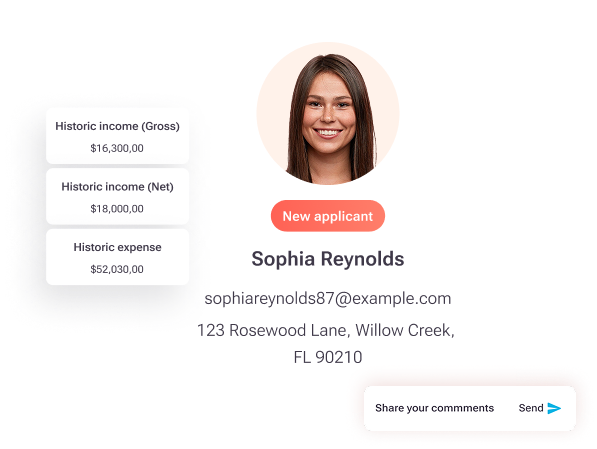
TenantEvaluation also includes QuickApprove, an accelerated approval workflow built for CAMs, boards, and property management teams that moves applications from submission to decision faster, with real-time application tracking, automated communication support, and a board-ready approval process inside one connected platform, while maintaining control, compliance, and visibility. For Florida communities with age-restricted requirements, 55+ Communities Verification standardizes application handling, reduces manual work, and supports documentation consistency across communities.

Evaluation Takeaways and Practical Next Steps
Four conclusions apply to any Florida HOA evaluating QuickBooks integration in 2026. First, native two-way sync represents the minimum acceptable standard, because one-way export requires manual reconciliation that accumulates errors over time. Second, fund separation must be preserved through the sync layer, since class assignments that require manual correction after every export create a recurring operational cost. Third, ACH and late-fee posting accuracy determines whether month-end close consumes staff hours or runs largely on automation. Fourth, platforms that handle screening, onboarding, and lease tracking in the same system as QuickBooks connectivity remove the integration points between separate tools that create the most common failure modes.
TenantEvaluation has processed more than 100,000 applications annually across over 5,000 communities, generating $150 million for those communities, with FCRA compliance as the foundation of every workflow, not an afterthought. The platform serves Florida HOAs from Miami and Fort Lauderdale to Tampa, Orlando, Jacksonville, and other markets, with a 4.8 out of 5 Google rating from CAMs, boards, and management companies that have replaced manual processes with a single connected system.
Associations that want to validate these capabilities can request a live TenantEvaluation session that walks through QuickBooks integration using the six verification questions in this guide and shows the full screening-to-lease-tracking workflow in a real environment.
Frequently Asked Questions
What is the difference between a native QuickBooks integration and a Zapier-based connection for HOA software?
A native integration connects the HOA platform directly to QuickBooks through an API that the vendor maintains, with no third-party automation layer in between. Data flows reliably in both directions, and the connection is updated when either platform changes its API. A Zapier-based or webhook connection routes data through a third-party automation service, which introduces latency, limits the data fields that can be mapped, and creates a dependency on a service that neither the HOA platform nor Intuit controls. When either platform updates its API, the Zapier connection can break silently and create data gaps that staff must correct manually. For Florida HOAs that manage assessment collection, reserve fund tracking, and ACH payments, a broken Zapier connection can go unnoticed until month-end reconciliation reveals missing or misapplied entries.
How should Florida HOAs handle operating and reserve fund separation when using QuickBooks Online?
QuickBooks Online Plus supports class tracking, which allows associations to allocate income and expenses by fund type, such as operating or reserve, and generate Profit and Loss by Class reports for board review. The critical requirement is that class assignments are applied consistently at the transaction level and that any HOA platform syncing data to QuickBooks preserves those class assignments during export or sync. When an HOA platform strips class data during sync, operating and reserve transactions merge in QuickBooks and staff must reclassify them manually. Associations should ask vendors whether class assignments survive the sync without manual correction and request a demonstration that uses a test transaction with both operating and reserve fund entries.
What compliance requirements apply to Florida HOAs that screen residents, and how does the screening platform affect QuickBooks workflows?
Florida HOAs that conduct background checks on prospective residents fall under the Fair Credit Reporting Act. FCRA requires that associations obtain written consent before running a background check, use the data only for permissible purposes, and provide adverse action notices when a screening result contributes to a denial decision. These requirements generate documentation, including consent records, screening reports, and adverse action letters, that must be retained and auditable. A screening platform that maintains built-in audit trails and automated adverse action workflows reduces the manual documentation burden and the liability exposure associated with incomplete records. TenantEvaluation is built for community associations with FCRA compliance as the foundation and operates as a direct reseller of TransUnion and Equifax data under strict bureau rules. The screening and onboarding workflow connects to lease tracking and operational records in the same platform, so the compliance documentation and the financial records that flow to QuickBooks share a single audit-ready source.
What should Florida HOA boards look for in a platform that combines resident onboarding and QuickBooks accounting connectivity?
Boards should confirm that the platform handles the full resident lifecycle inside a single system. That lifecycle includes application intake, identity verification, background screening, approval workflow, lease tracking, and QuickBooks sync. When those functions are distributed across separate tools, each tool requires its own integration and introduces another potential failure point for data accuracy. Boards should also confirm that the platform provides a dedicated board review and voting workflow, so approval decisions are documented inside the same system that generates the financial records synced to QuickBooks. TenantEvaluation’s QuickApprove accelerated approval workflow gives boards a real-time application tracking dashboard and a voting panel inside the platform, which connects the approval decision directly to the onboarding and lease tracking records that inform occupancy and assessment data.
How does lease tracking connect to QuickBooks accuracy for Florida community associations?
Lease tracking affects QuickBooks accuracy because occupancy status determines which units are subject to active assessments. When lease records live in spreadsheets or disconnected email chains, occupancy data can lag behind actual move-ins and move-outs. That lag causes assessment invoices in QuickBooks to be generated for vacant units or missed for occupied ones. A centralized lease tracking system that connects resident onboarding, unit data, approvals, and lease documentation in real time keeps the occupancy records that drive assessment generation in the HOA platform current and accurate. TenantEvaluation’s Lease Tracking delivers real-time lease status visibility, including active, pending, expired, or missing, with automated lease document collection during onboarding and unit-level tracking tied to occupancy records, so the data flowing to QuickBooks reflects actual community status instead of a lagging manual record.