Written by: Luis Teran, Co-founder, CEO, TenantEvaluation
Key Takeaways for Condo HOA Boards
- Florida condo HOAs face surging identity fraud, with 85% of landlords reporting issues in 2025, so biometric verification now outperforms traditional methods.
- Prioritize liveness detection and facial selfie-to-ID matching to block spoofing and reach 99%+ accuracy in applicant verification.
- Use multi-layer biometrics inside FCRA-compliant screening workflows, including automated ID validation and native platform operation without redirects.
- Customize verification levels by community risk profile, address privacy concerns with encryption and opt-outs, and rely on board dashboards for oversight.
- Implement audit trails and prepare for 2026 trends like palm biometrics; explore TenantEvaluation’s future-ready platform for seamless, revenue-generating fraud prevention.
Implementing biometric verification in condo HOAs follows three phases. First, establish foundational identity validation with liveness detection, facial matching, and automated ID checks in Practices 1 through 3. Next, connect these tools to your screening workflows and community policies in Practices 4 through 6. Finally, strengthen governance, privacy, and future readiness in Practices 7 through 9 so your program stays secure and compliant as technology evolves.
1. Prioritize Liveness Detection Over Static Photos
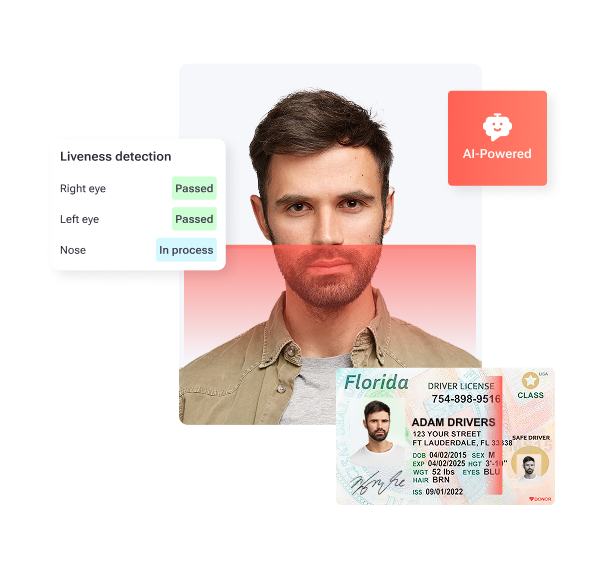
Liveness detection now serves as the most critical advancement in biometric verification for condo HOAs. The software segment including liveness detection dominates the biometric identity verification market with the highest CAGR of 16.5% during the forecast period. This technology blocks spoofing attempts using photographs, masks, or recorded videos.
Implementation begins with AI-powered sensors that analyze subtle skin reflections, eye movements, and blood flow changes. These sensors then verify real-time facial movements during the application process, which creates a dynamic check that static photos cannot bypass. When these checks fail, your protocols should trigger secondary verification methods to avoid false rejections. Finally, train property management staff on interpreting liveness detection results so they can separate technical issues from genuine fraud attempts. IDVerify builds this AI liveness detection directly into the screening workflow, keeping applicants in one secure experience.
2. Use Facial Biometric Selfie-to-ID Matching for Accurate Screening
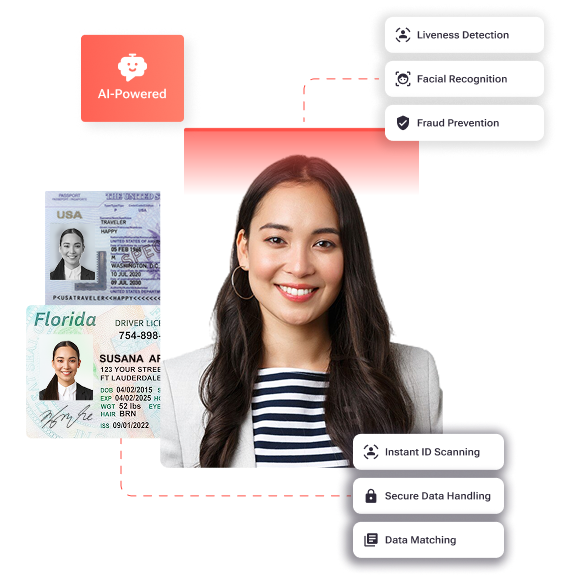
Once liveness detection confirms a real person is present, the next step is verifying that person matches their claimed identity. NEC’s biometric technologies for face, iris, fingerprint, finger vein, palm print, and voice recognition consistently rank at the top of their class by NIST for quick and accurate 1:1 verification and 1:N identification. Multimodal systems combining facial recognition with iris and fingerprint reduce unauthorized access attempts by over 60% in access control systems.
Deploy facial recognition systems that capture high-resolution selfies and compare them against government-issued photo IDs. Configure algorithms that account for aging, lighting variations, and minor appearance changes so legitimate applicants are not rejected. Set matching thresholds that reflect your community’s security expectations, then define when staff should manually review low-confidence matches. Create audit trails for every facial comparison so boards can trace decisions later. When you configure these systems, you can use IDVerify to apply customizable confidence levels that align with each community’s risk profile.
3. Validate Government-Issued IDs Automatically for a Strong Foundation
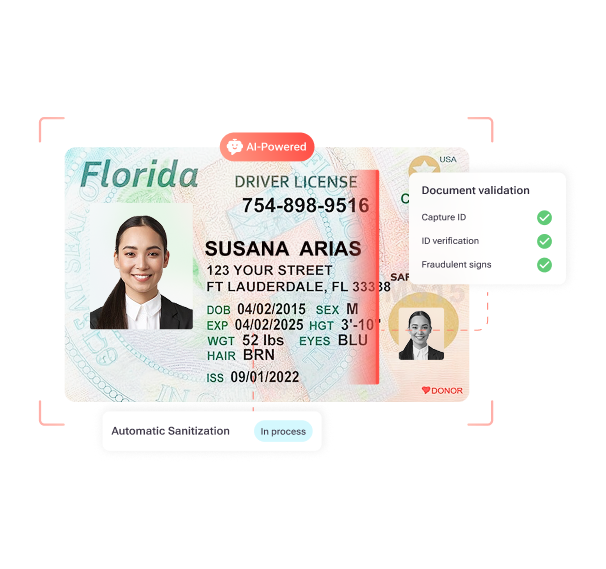
Automated ID validation forms the base layer of a complete identity strategy. Modern systems analyze security features, fonts, layouts, and embedded data to detect fraudulent documents. This KYC layer blocks synthetic identity fraud and document forgery attempts that increasingly target residential communities.
Implement systems that verify ID authenticity through optical character recognition (OCR) and security feature analysis. Because applicants present many credential types, configure validation for driver’s licenses, passports, and state-issued identification cards. Your protocols must also address edge cases like expired or damaged documents, which require staff judgment and clear escalation paths. Train your team on when to rely on automated validation and when to escalate for manual review. Throughout this process, maintain compliance with state and federal ID verification requirements to reduce legal risk. IDVerify automates government ID checks while preserving FCRA compliance through direct credit bureau reseller relationships.
4. Connect Biometrics to FCRA-Compliant Screening Workflows
Biometric tools only deliver value when they connect cleanly to your existing screening process. FCRA requires clear, conspicuous, standalone written disclosure in plain language stating that a consumer report may be obtained and separate written authorization before requesting background checks from CRAs, which may include identity verification.
Deploy platforms that combine biometric verification with credit checks, criminal background screening, and income verification in a single workflow. Ensure every biometric data collection step includes proper FCRA disclosures and consent language. Define data retention policies that match federal and state rules, and apply them consistently across all applicant records. Configure automated adverse action workflows when biometric verification fails so applicants receive required notices. Maintain audit trails that link biometric results to final screening decisions for board and regulator review. TenantEvaluation’s platform connects IDVerify with TransUnion and Equifax data through direct reseller relationships, so FCRA compliance stays built into the process.
Discover how TenantEvaluation’s IDVerify brings these steps together for your HOA and see the integration in action.
5. Customize Biometric Rules by Community Risk Profile
Each condo community faces different fraud risks based on location, property values, and resident demographics. Customizable biometric verification lets HOAs raise security where needed without adding unnecessary friction for low-risk applicants.
Start by assessing community-specific risk factors such as property values, local crime statistics, and past fraud incidents. Use this assessment to configure biometric requirements, including when to require facial matching, liveness checks, or additional documentation. Set different verification levels for applicant groups like tenants, purchasers, and short-term renters. Update these requirements as new fraud patterns appear, and record every change for audit purposes. IDVerify supports configurable verification levels that reflect each board’s risk tolerance and policy decisions.
6. Keep Biometric Verification Native to Your Screening Platform
Native platform integration protects completion rates and data security. External redirects to third-party verification tools create friction that causes drop-off and introduces new security gaps.
Select biometric solutions that run inside your existing application platform without sending applicants to separate sites. Configure single sign-on so staff and applicants move through the process with one secure session. Sync biometric results in real time with your screening system so decisions rely on current data. Define backup procedures for outages, including manual review steps and communication templates. Train staff on common integration issues so they can resolve problems quickly. IDVerify operates natively within TenantEvaluation’s platform, which preserves a smooth workflow and complete audit history.
7. Manage Spoofing, Bias, and Privacy with Clear Safeguards
While the previous practices focus on implementation, effective biometric programs must also address security vulnerabilities and privacy concerns. Biometric authentication systems face spoofing via fake trait attacks including molds for fingerprints, high-resolution photos for facial recognition, or recorded voices. Biometric authentication shows uneven accuracy across demographics with higher rejection rates for certain skin tones, accents, worn fingerprints from manual labor, or physical variations.
While Practice 1 addressed liveness detection as a primary anti-spoofing measure, comprehensive security requires additional layers. Implement multi-factor authentication that pairs biometrics with traditional checks like IDs or knowledge-based questions. Provide alternative verification paths for applicants who cannot or prefer not to use biometrics, and document when staff use these paths. Protect biometric data with end-to-end encryption during storage and transmission, and publish clear privacy policies that explain collection, storage, and use. Offer opt-out mechanisms for applicants with legitimate concerns, and track these requests for compliance. IDVerify supports anti-spoofing controls, encryption, and alternative verification methods that help communities meet accessibility and privacy expectations.
8. Use Board Dashboards for Transparent Application Reviews
Board transparency builds trust and keeps oversight aligned with community rules. Dedicated dashboards give board members real-time visibility into verification results without exposing raw biometric data.
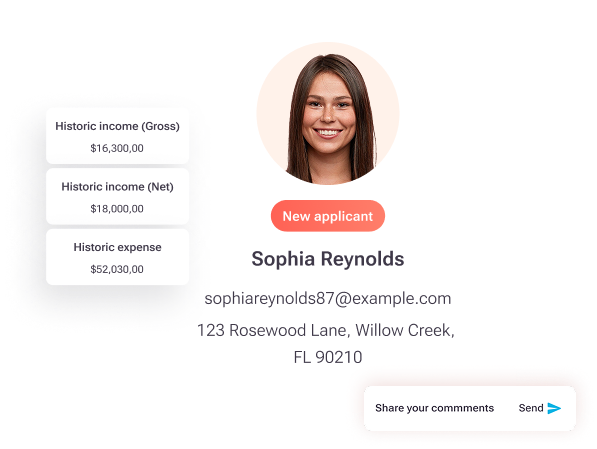
Deploy board-specific dashboards that show verification status, risk flags, and decision history while hiding sensitive biometric details. Configure role-based access controls so board members see only summary information needed for approvals. Track every board login and data view in audit logs to support internal reviews. Train board members on how to interpret verification summaries and when to escalate cases for deeper review. Define clear policies for when boards can override automated decisions and how to document those actions. TenantEvaluation’s QuickApprove dashboard delivers these summaries while preserving applicant privacy and FCRA compliance.
9. Build Audit Trails and Prepare for Palm and Vehicle Biometrics
Strong audit trails and awareness of new biometric trends keep your program ready for 2026 and beyond. The iris recognition segment grows at the fastest rate with a CAGR of 15.2% in the biometric identity verification market from 2025 to 2030. Emerging modalities such as palm vein scanning and vehicle recognition add extra security layers for high-value communities.
Establish detailed audit trails that record every biometric verification attempt, result, and follow-up action. Configure automated logging for system access, configuration changes, and data retention events so you can reconstruct timelines when needed. Schedule regular audit reviews to spot security gaps or compliance issues before they escalate. Evaluate new biometric technologies like palm or vehicle recognition based on your community’s risk profile and budget. Define data retention and destruction policies that match applicable regulations, and update them as laws change. Plan for technology upgrades and staff training so your team can adopt new biometric tools without disrupting daily operations. IDVerify supports these audit capabilities and offers a flexible architecture that can incorporate future biometric modalities.
Vendor Comparison Table
The following comparison shows how TenantEvaluation’s integrated approach differs from competitors that rely on third-party redirects or lack HOA-focused features. These differences affect both security strength and the experience for applicants and board members.
| Feature | TenantEvaluation | ApplyCheck | Verify Screening Solutions | Snappt |
|---|---|---|---|---|
| Native Biometrics | IDVerify+ Integrated | Third-party redirect | Limited options | Comprehensive income verification |
| FCRA Reseller | TransUnion/Equifax direct | Third-party data | TazWorks platform | No |
| HOA Dashboards | QuickApprove | No | No | No |
| ROI Proof | $150M generated, 70% faster | No data | No data | 50% fraud reduction, 80% less manual processing |
FAQ
What is the most secure biometric method for HOA access control?
Facial recognition combined with liveness detection provides a strong balance of security and convenience for HOA applications. This approach can reach 99%+ accuracy while blocking spoofing attempts that rely on photographs or masks. IDVerify+ incorporates advanced facial recognition with AI-powered liveness detection tuned for residential community needs.
How do biometric systems comply with Florida HOA regulations?
Biometric verification must operate inside FCRA-compliant frameworks that include proper disclosure, consent, and adverse action procedures. Florida HOAs should pair these requirements with clear privacy policies and opt-out options for biometric data collection. Systems also need comprehensive audit trails and encryption for all biometric data storage and transmission.
What are the main drawbacks of biometric authentication in condos?
Key concerns include spoofing attempts, demographic bias in recognition algorithms, privacy risks from biometric data storage, and system failures that could block legitimate residents. HOAs can reduce these risks through multi-factor authentication, diverse training datasets, encrypted storage, and well-documented fallback verification methods.
How should HOAs integrate biometric verification with tenant screening?
Effective integration relies on native platform solutions that combine biometric verification with credit checks, background screening, and income verification in one workflow. This structure removes external redirects, protects data, and gives boards a complete applicant profile while preserving FCRA compliance at every step.
What does biometric verification cost for HOAs?
TenantEvaluation uses a revenue-sharing model with no upfront costs, which makes biometric verification accessible to communities of many sizes. The platform generates revenue through application fees while delivering full screening and verification services, often creating net positive cash flow for participating communities.
How does IDVerify+ compare to generic biometric tools?
IDVerify is built for HOA and condo community requirements and connects directly to resident screening workflows while maintaining FCRA compliance. Unlike generic tools that require external redirects or separate portals, IDVerify runs natively inside TenantEvaluation’s screening platform and supports features like board dashboards and community-specific risk settings.
Conclusion
These nine biometric identity verification practices give Florida condo HOAs a clear framework to fight rising identity fraud while streamlining approvals. TenantEvaluation’s IDVerify solution brings these practices together in a single FCRA-compliant platform that has supported more than 5,000 communities since 2007. The platform’s revenue-sharing model and integrated tools help early adopters strengthen security while improving financial performance.
Secure your condo community with TenantEvaluation’s all-in-one platform, including IDVerify biometric verification, and request your personalized walkthrough to experience compliant, biometric-backed resident onboarding that protects your community while generating revenue.